# pip install diagrams
# Graphviz (dot) must be installed and on PATH.
from diagrams import Diagram, Cluster, Edge, Node
# Small helper for residual adders (⊕)
def adder(name=""):
label = "⊕" if not name else f"⊕\n{name}"
return Node(
label,
shape="circle",
width="0.35",
height="0.35",
fixedsize="true",
fontsize="14",
style="filled",
fillcolor="white",
)
with Diagram(
"Upcycled MoE block",
filename="upcycled_moe_block_full",
direction="LR", # left→right main flow
show=False,
outformat="png",
node_attr={
"shape": "box",
"style": "rounded,filled",
"fillcolor": "white",
"fontsize": "10",
},
edge_attr={
"arrowsize": "0.7",
"fontsize": "9",
},
):
# ---------------- Original dense block ----------------
with Cluster("Original dense block"):
o_ln1 = Node("Layer\nnorm")
o_attn = Node("Attention")
o_add1 = adder() # residual after Attention
o_ln2 = Node("Layer\nnorm")
o_add2 = adder() # residual after MLP
o_mlp = Node("MLP")
# main forward path with residuals
o_ln1 >> o_attn >> o_add1 >> o_ln2 >> o_mlp >> o_add2
# residual skip connections inside original block
o_ln1 >> Edge(arrowhead="none") >> o_add1
o_ln2 >> Edge(arrowhead="none") >> o_add2
# ---------------- Upcycled MoE block ----------------
with Cluster("Upcycled MoE block"):
u_ln1 = Node("Layer\nnorm")
u_attn = Node("Attention")
u_add1 = adder()
u_ln2 = Node("Layer\nnorm")
# MoE sub-block (replacing dense MLP)
with Cluster("MoE"):
router = Node("Router\nfrom scratch")
with Cluster("Experts"):
e_mlp1 = Node("MLP 1")
e_mlp2 = Node("MLP 2")
e_mlpE = Node("MLP E")
weighted_sum = Node("Weighted\nSum")
# router → experts
router >> e_mlp1
router >> e_mlp2
router >> e_mlpE
# experts → weighted sum
e_mlp1 >> weighted_sum
e_mlp2 >> weighted_sum
e_mlpE >> weighted_sum
u_add2 = adder() # residual after MoE
# forward path through upcycled block
u_ln1 >> u_attn >> u_add1 >> u_ln2 >> router
weighted_sum >> u_add2
# residual skips inside upcycled block
u_ln1 >> Edge(arrowhead="none") >> u_add1
u_ln2 >> Edge(arrowhead="none") >> u_add2
# ---------------- Dashed “copy weights” arrows ----------------
# layernorm / attention / layernorm weights copied
o_ln1 >> Edge(style="dashed", label="Copy weights") >> u_ln1
o_attn >> Edge(style="dashed", label="Copy weights") >> u_attn
o_ln2 >> Edge(style="dashed", label="Copy weights") >> u_ln2
# MLP → experts: “Make E MLP copies”
make_copies = Node("Make E\nMLP copies")
o_mlp >> Edge(style="dashed") >> make_copies
make_copies >> Edge(style="dashed") >> e_mlp1
make_copies >> Edge(style="dashed") >> e_mlp2
make_copies >> Edge(style="dashed") >> e_mlpECreating Diagrams
Diagrams package
This site uses the diagrams python package to draw all diagrams as code.
from IPython.display import Markdown
diagram_code = ““”
flowchart LR
  %% ============== ORIGINAL DENSE BLOCK ==============
  subgraph OD["Original dense block"]
    direction LR

    OD_LN1["Layer norm"]
    OD_ATT["Attention"]
    OD_ADD1(["⊕"])
    OD_LN2["Layer norm"]
    OD_MLP["MLP"]
    OD_ADD2(["⊕"])

    %% forward path
    OD_LN1 --> OD_ATT --> OD_ADD1 --> OD_LN2 --> OD_MLP --> OD_ADD2

    %% residuals
    OD_LN1 -. residual .-> OD_ADD1
    OD_LN2 -. residual .-> OD_ADD2
  end

  %% ============== UPCYCLED MoE BLOCK ==============
  subgraph UM["Upcycled MoE block"]
    direction LR

    U_LN1["Layer norm"]
    U_ATT["Attention"]
    U_ADD1(["⊕"])
    U_LN2["Layer norm"]

    %% ---- MoE subgraph ----
    subgraph UMOE["MoE"]
      direction TB

      ROUTER["Router from scratch"]

      subgraph EXP["Experts"]
        direction LR
        EXP_MLP1["MLP 1"]
        EXP_MLP2["MLP 2"]
        EXP_MLPE["MLP E"]
      end

      WS["Weighted Sum"]

      %% router to experts
      ROUTER --> EXP_MLP1
      ROUTER --> EXP_MLP2
      ROUTER --> EXP_MLPE

      %% experts to weighted sum
      EXP_MLP1 --> WS
      EXP_MLP2 --> WS
      EXP_MLPE --> WS
    end

    U_ADD2(["⊕"])

    %% forward path through Upcycled MoE block
    U_LN1 --> U_ATT --> U_ADD1 --> U_LN2 --> ROUTER
    WS --> U_ADD2

    %% residuals
    U_LN1 -. residual .-> U_ADD1
    U_LN2 -. residual .-> U_ADD2
  end

  %% ============== WEIGHT COPYING CONNECTIONS ==============
  %% Copy weights: layernorm/attention/layernorm
  OD_LN1 -. "Copy weights" .-> U_LN1
  OD_ATT -. "Copy weights" .-> U_ATT
  OD_LN2 -. "Copy weights" .-> U_LN2

  %% Make E MLP copies
  MAKE_COPIES["Make E MLP copies"]
  OD_MLP -.-> MAKE_COPIES
  MAKE_COPIES -. "Make copies" .-> EXP_MLP1
  MAKE_COPIES -. "Make copies" .-> EXP_MLP2
  MAKE_COPIES -. "Make copies" .-> EXP_MLPE

  %% ============== CLASSES / STYLING ==============
  classDef block fill:#ffffff,stroke:#222,stroke-width:1px,rx:5px,ry:5px;
  classDef moe fill:#e6f2d8,stroke:#88aa66,stroke-width:1px,rx:8px,ry:8px;
  classDef exp fill:#f4ecff,stroke:#9a7acc,stroke-width:1px,rx:6px,ry:6px;
  classDef add fill:#ffffff,stroke:#222,stroke-width:1px;

  class OD_LN1,OD_ATT,OD_LN2,OD_MLP,U_LN1,U_ATT,U_LN2,WS,ROUTER,MAKE_COPIES,EXP_MLP1,EXP_MLP2,EXP_MLPE block;
  class UMOE moe;
  class EXP exp;
  class OD_ADD1,OD_ADD2,U_ADD1,U_ADD2 add;
““”
Markdown(diagram_code)
SW Architecture
from diagrams import Diagram
from diagrams.c4 import Person, Container, Database, System, SystemBoundary, Relationship

graph_attr = {
    "splines": "spline",
}

with Diagram(
    "Container diagram for Internet Banking System", direction="TB", graph_attr=graph_attr, show=False
) as diag:
    customer = Person(
        name="Personal Banking Customer", description="A customer of the bank, with personal bank accounts."
    )

    with SystemBoundary("Internet Banking System"):
        webapp = Container(
            name="Web Application",
            technology="Java and Spring MVC",
            description="Delivers the static content and the Internet banking single page application.",
        )

        spa = Container(
            name="Single-Page Application",
            technology="Javascript and Angular",
            description="Provides all of the Internet banking functionality to customers via their web browser.",
        )

        mobileapp = Container(
            name="Mobile App",
            technology="Xamarin",
            description="Provides a limited subset of the Internet banking functionality to customers via their mobile device.",
        )

        api = Container(
            name="API Application",
            technology="Java and Spring MVC",
            description="Provides Internet banking functionality via a JSON/HTTPS API.",
        )

        database = Database(
            name="Database",
            technology="Oracle Database Schema",
            description="Stores user registration information, hashed authentication credentials, access logs, etc.",
        )

    email = System(name="E-mail System", description="The internal Microsoft Exchange e-mail system.", external=True)

    mainframe = System(
        name="Mainframe Banking System",
        description="Stores all of the core banking information about customers, accounts, transactions, etc.",
        external=True,
    )

    customer >> Relationship("Visits bigbank.com/ib using [HTTPS]") >> webapp
    customer >> Relationship("Views account balances, and makes payments using") >> [spa, mobileapp]
    webapp >> Relationship("Delivers to the customer's web browser") >> spa
    spa >> Relationship("Make API calls to [JSON/HTTPS]") >> api
    mobileapp >> Relationship("Make API calls to [JSON/HTTPS]") >> api

    api >> Relationship("reads from and writes to") >> database
    api >> Relationship("Sends email using [SMTP]") >> email
    api >> Relationship("Makes API calls to [XML/HTTPS]") >> mainframe
    customer << Relationship("Sends e-mails to") << email
diag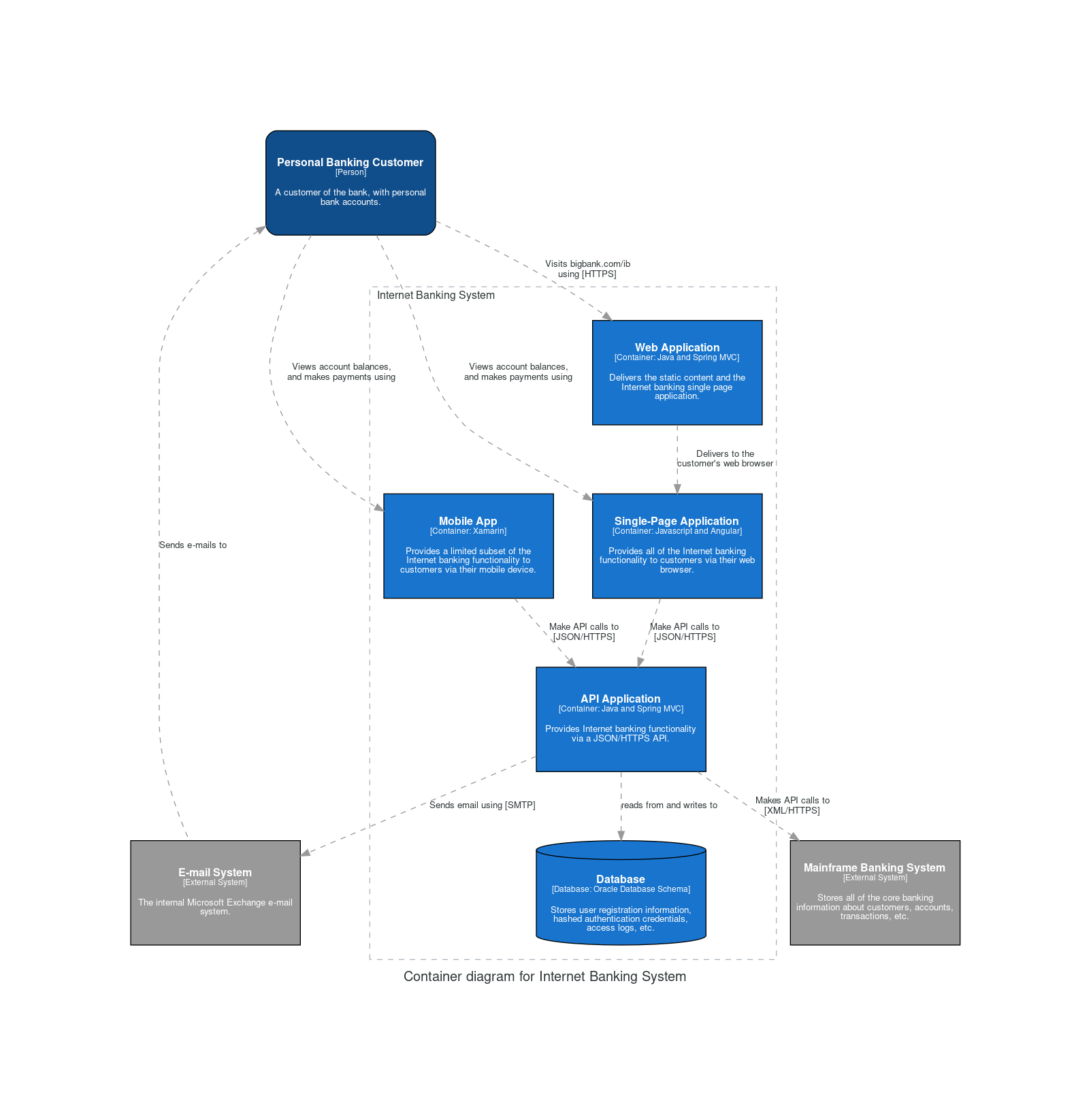
AWS Diagrams
from diagrams import Cluster, Diagram
from diagrams.aws.compute import ECS
from diagrams.aws.database import ElastiCache, RDS
from diagrams.aws.network import ELB
from diagrams.aws.network import Route53

with Diagram("Clustered Web Services", show=False) as diag:
    dns = Route53("dns")
    lb = ELB("lb")

    with Cluster("Services"):
        svc_group = [ECS("web1"), ECS("web2"), ECS("web3")]

    with Cluster("DB Cluster"):
        db_primary = RDS("userdb")
        db_primary - [RDS("userdb ro")]

    memcached = ElastiCache("memcached")

    dns >> lb >> svc_group
    svc_group >> db_primary
    svc_group >> memcached
diag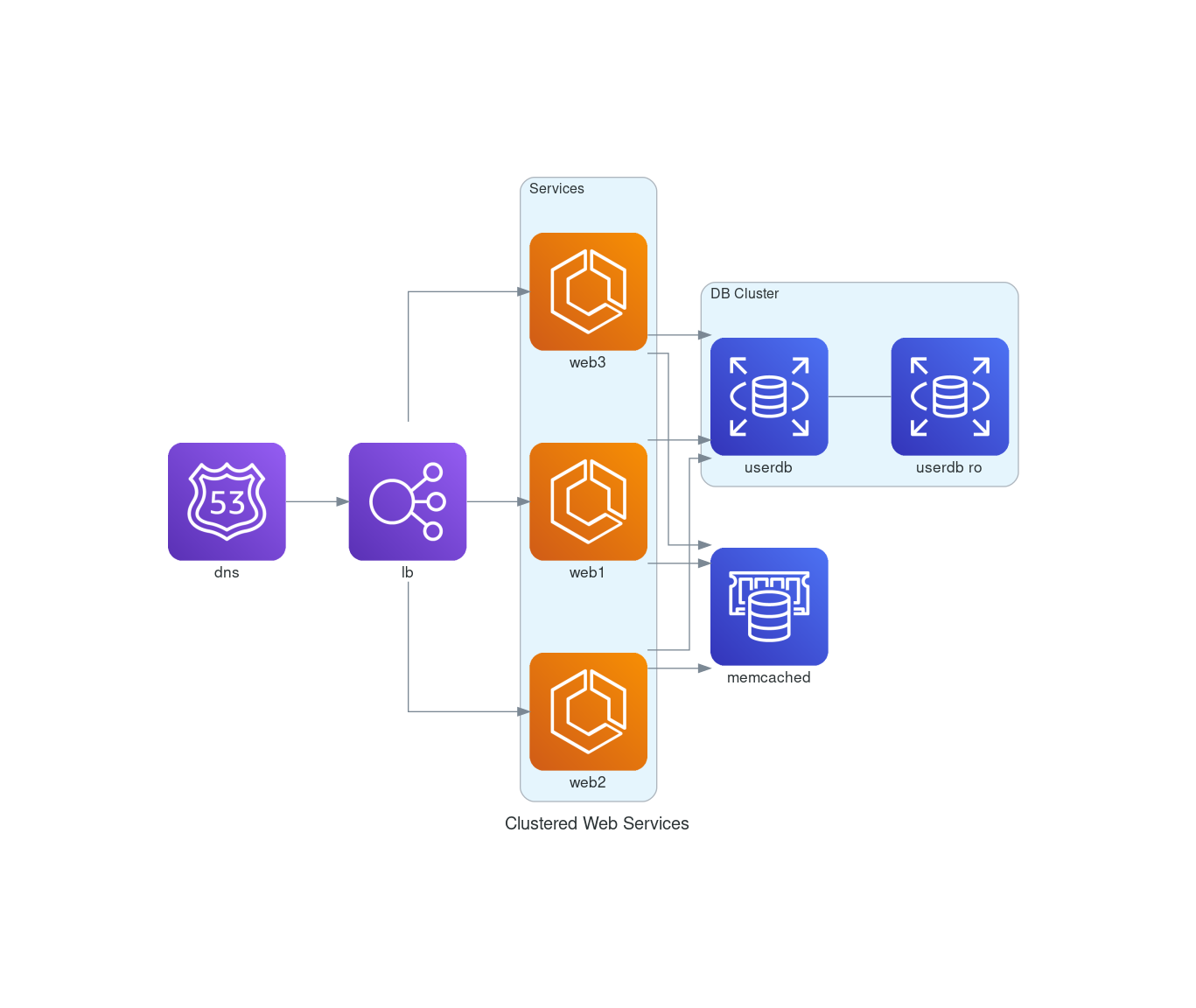
Diagrams with custom icons
from diagrams import Diagram, Cluster
from diagrams.custom import Custom
from urllib.request import urlretrieve

with Diagram("Custom with remote icons", show=False, filename="custom_remote", direction="LR") as diag:
    # download the icon image file
    diagrams_url = "https://github.com/mingrammer/diagrams/raw/master/assets/img/diagrams.png"
    diagrams_icon = "diagrams.png"
    urlretrieve(diagrams_url, diagrams_icon)

    diagrams = Custom("Diagrams", diagrams_icon)

    with Cluster("Some Providers"):
        openstack_url = "https://github.com/mingrammer/diagrams/raw/master/resources/openstack/openstack.png"
        openstack_icon = "openstack.png"
        urlretrieve(openstack_url, openstack_icon)

        openstack = Custom("OpenStack", openstack_icon)

        elastic_url = "https://github.com/mingrammer/diagrams/raw/master/resources/elastic/saas/elastic.png"
        elastic_icon = "elastic.png"
        urlretrieve(elastic_url, elastic_icon)

        elastic = Custom("Elastic", elastic_icon)

    diagrams >> openstack
    diagrams >> elastic
diag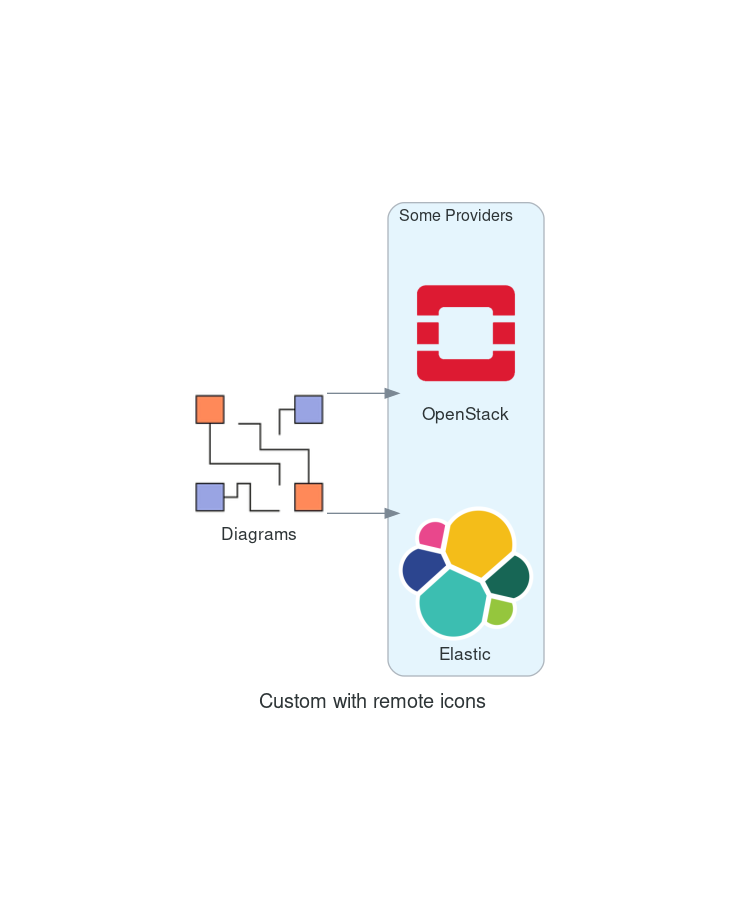
Model Architectures
We use Neutron.app to visualize model architectures.